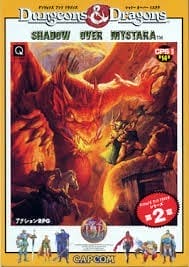
The game uses a side-scrolling beat 'em up structure with character selection at the start. Each class offers different strengths, such as close-range combat, ranged attacks, support magic, or agility. Controls cover attacking, defending, jumping, using special techniques, and interacting with treasure chests and pickups. Stages often branch into different routes, and player choices can affect later encounters and rewards. Progress is driven by surviving stages, collecting gear and consumables, and learning boss patterns.
Dungeons & Dragons: Tower of Doom
Arcade Systems
Login to use cloud saves
Login
Controls
These are the emulator defaults. You can remap them from the emulator menu.
PC Keyboard
Game Button
↑
UP
↓
DOWN
←
LEFT
→
RIGHT
Z
A
X
B
A
Y
S
X
Q
L
W
R
Enter
START
Shift
SELECT
Game-specific controls
No verified game-specific inputs or combos are available for this version yet.
Gameplay
Characters
Fighter
A durable melee specialist suited to direct confrontation.
Elf
A ranged-oriented agile character with strong mobility.
Thief
A fast, versatile class that handles pressure well.
Cleric
A support-capable caster with healing and anti-undead utility.
Synn
The evil dragon and central antagonist of the campaign.
Strategy
Stay mobile and avoid getting pinned down by groups. When possible, position enemy defeats to secure useful drops such as healing items and equipment. Choose branching routes based on the party's strengths and the kind of enemy pressure you want to face. Save special moves and items for boss encounters or dangerous crowd situations.
Cheats
No cheats or unlockables available
Tips
Tips and tricks
- Learn each class's attack range and use it to control space.
- Treasures and item drops matter as much as raw damage, especially in tough areas.
- Replay the game to explore alternate routes and compare rewards.
Comments
Loading...
How do you play Dungeons & Dragons: Tower of Doom online?
Start Dungeons & Dragons: Tower of Doom directly on this page with ClassicEmu. The emulator runs in your browser, so you can play online without installing a desktop emulator first.
Related Games
More games from nearby platforms and categories.