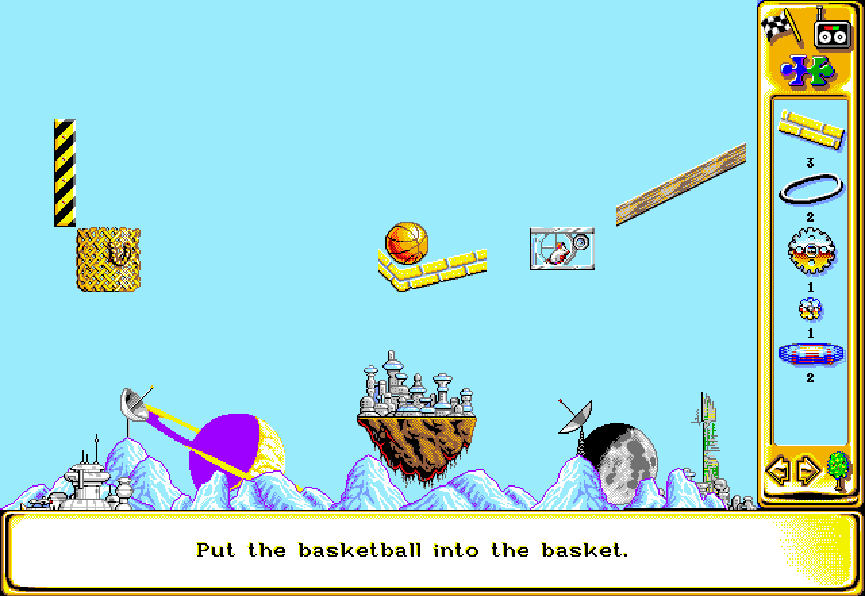
Each stage presents a goal and a limited set of parts. Players drag and place objects into the playfield, then start the machine and watch how gravity, momentum, timers, and collisions interact. Many puzzles allow multiple solutions, but success requires careful placement so one mechanism triggers the next. The game includes structured puzzle scenarios and a free-build mode for experimentation. Progress is typically based on completing individual contraptions rather than traditional action or exploration.
The Incredible Machine
DOSControls
These are the emulator defaults. You can remap them from the emulator menu.
PC Keyboard
Game Button
↑
Move up
↓
Move down
←
Move left
→
Move right
Space
Primary action
Enter
Confirm / start
Esc
Back / menu
Game-specific controls
No verified game-specific inputs or combos are available for this version yet.
Gameplay
Characters
No character information available
Strategy
Start by identifying the final objective and trace the chain backward. Use cheap, reliable triggers first, and avoid overcomplicating early links. Small timing adjustments often matter more than adding extra parts. If a puzzle has multiple valid paths, test each subassembly separately before committing to the full machine. In free-build mode, experiment with component interactions to learn which objects create the most dependable chain reactions.
Cheats
No cheats or unlockables available
Tips
Tips and tricks
- Build from the goal backward: place the final trigger first, then connect each preceding step.
- Test one section at a time to isolate failures in long chain reactions.
- Use gravity and simple motion whenever possible; elaborate setups can become unstable quickly.
Comments
Loading...
How do you play The Incredible Machine online?
Start The Incredible Machine directly on this page with ClassicEmu. The emulator runs in your browser, so you can play online without installing a desktop emulator first.
Related Games
More games from nearby platforms and categories.