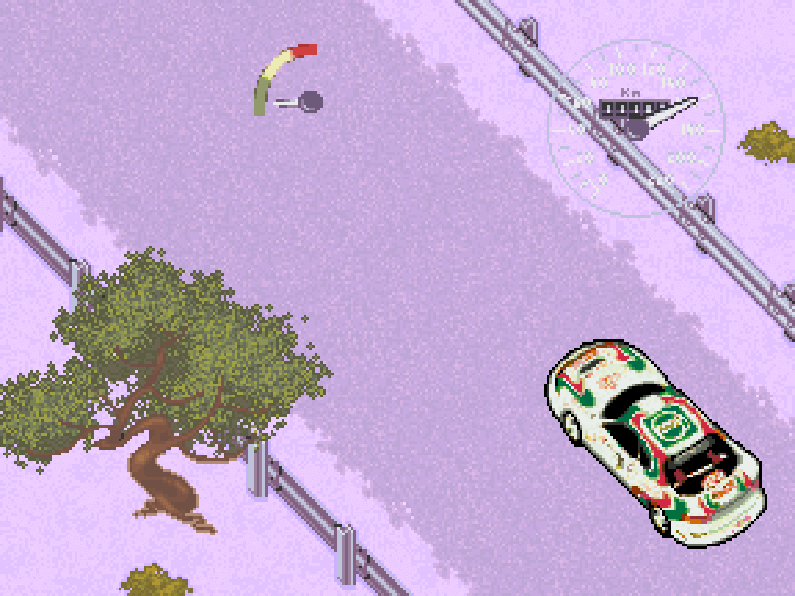
The game uses an arcade racing perspective with straightforward steering, acceleration, and braking controls designed for quick reactions. Players select from several cars that can be upgraded between events, then compete on circuit-style road and off-road courses. Championship mode provides the main progression path, while Practice mode allows familiarization with tracks and car handling. Races include rival vehicles and traffic, so clean lines and obstacle awareness matter as much as raw speed. Only two tracks are available at first, and additional content is unlocked by advancing through championship play.
GT Racing 97
DOSControls
These are the emulator defaults. You can remap them from the emulator menu.
PC Keyboard
Game Button
↑
Move up
↓
Move down
←
Move left
→
Move right
Space
Primary action
Enter
Confirm / start
Esc
Back / menu
Game-specific controls
No verified game-specific inputs or combos are available for this version yet.
Gameplay
Characters
No character information available
Strategy
Use Practice mode to learn corner entry points and traffic patterns before attempting the Championship. Because the handling is arcade-oriented, braking early and accelerating out of turns is usually safer than forcing high-speed corrections. Prioritize consistent lap times over risky overtakes, especially on narrow sections where traffic can cause sudden collisions. If upgrades are available between races, focus on the parts that improve top speed and stability first. Since time pressure is a major factor, memorizing the fastest route through each circuit is more valuable than driving aggressively in every corner.
Cheats
No cheats or unlockables available
Tips
Tips and tricks
- Replay the opening tracks until you can finish them without contact; the later events punish small mistakes more heavily.
- Keep a moderate speed in traffic sections and pass only when the lane is clearly open.
- If the car has upgrade options, balance performance improvements with control so the vehicle remains manageable on mixed-surface tracks.
Comments
Loading...
How do you play GT Racing 97 online?
Start GT Racing 97 directly on this page with ClassicEmu. The emulator runs in your browser, so you can play online without installing a desktop emulator first.