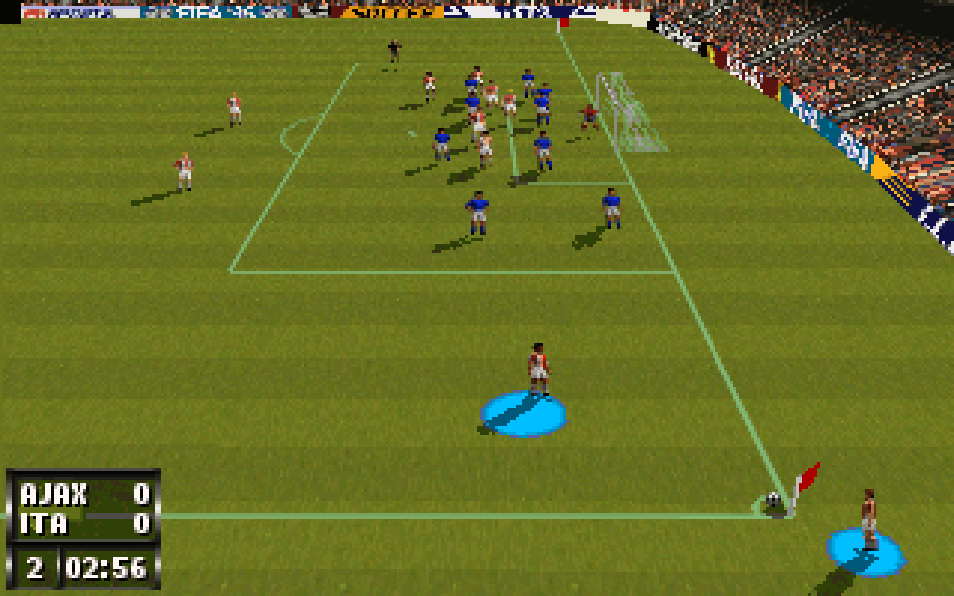
Players choose clubs or national teams and compete in single matches, tournaments, and league-style play depending on mode. Matches use a primarily top-down broadcast-like camera with simple passing, shooting, tackling, sprinting, and goalkeeper control. FIFA 97 emphasizes positioning, through balls, and timing on attack, while the indoor mode shrinks the pitch and increases rebound-heavy, high-scoring play. Progress is largely match-by-match, with team selection and competition structure determining the flow rather than character leveling or story advancement.
FIFA 97
DOSControls
These are the emulator defaults. You can remap them from the emulator menu.
PC Keyboard
Game Button
↑
Move up
↓
Move down
←
Move left
→
Move right
Space
Primary action
Enter
Confirm / start
Esc
Back / menu
Game-specific controls
No verified game-specific inputs or combos are available for this version yet.
Gameplay
Characters
No character information available
Strategy
Use wide play and quick passes to open space in outdoor matches, since dribbling straight through defenders is risky. In indoor soccer, press aggressively and take first-time shots before defenders can collapse. Learn each team’s pace and finishing strength, and switch to safer possession when protecting a lead. On defense, avoid overcommitting with tackles; instead, contain the ball carrier and force passes into crowded lanes.
Cheats
No cheats or unlockables available
Tips
Tips and tricks
- Indoor Soccer is ideal for practicing attacking combinations because possessions turn over quickly.
- When defending, manual player switching helps cover passing lanes better than chasing the ball.
- Use fast wingers and early crosses in outdoor matches to exploit slower center-backs.
Comments
Loading...
How do you play FIFA 97 online?
Start FIFA 97 directly on this page with ClassicEmu. The emulator runs in your browser, so you can play online without installing a desktop emulator first.