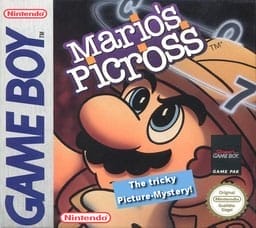
The game uses a single-screen grid-based puzzle system. Players move a cursor, fill squares, and mark blanks according to the numerical clues shown on each row and column, reconstructing the hidden picture through deduction. Puzzles begin with smaller grids and become larger and more complex as you progress. Clearing a puzzle unlocks the next one, and careful logic is required because mistakes can slow progress or force you to recheck your work.
Mario's Picross 2
Game Boy
Login to use cloud saves
Login
Controls
These are the emulator defaults. You can remap them from the emulator menu.
PC Keyboard
Game Button
↑
UP
↓
DOWN
←
LEFT
→
RIGHT
Z
A
X
B
A
Y
S
X
Q
L
W
R
Enter
START
Shift
SELECT
Game-specific controls
No verified game-specific inputs or combos are available for this version yet.
Gameplay
Characters
Mario
The guide and mascot of the game, Mario introduces and frames the Picross puzzles for the player.
Strategy
Start with rows and columns whose clues cover most of the line, since they reveal the most certain placements. Use overlap logic to identify guaranteed filled squares, then compare intersecting rows and columns to eliminate impossible spaces. When stuck, re-scan completed lines for inconsistencies before making any guesses.
Cheats
No cheats or unlockables available
Tips
Tips and tricks
- Track rows and columns separately to spot overlaps faster.
- Lines whose clue totals nearly fill the row are often the best starting point.
- Picross rewards patience and deduction more than guessing.
Comments
Loading...
How do you play Mario's Picross 2 online?
Start Mario's Picross 2 directly on this page with ClassicEmu. The emulator runs in your browser, so you can play online without installing a desktop emulator first.