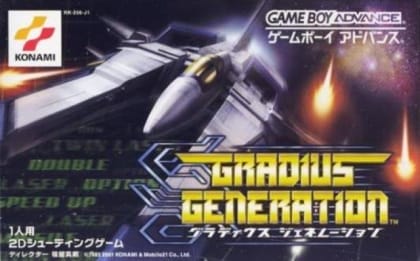
This is a single-player side-scrolling shoot 'em up with alternating horizontal and vertical stages. Destroy enemies and ground targets to collect power capsules, then spend them on the familiar power meter for speed, missiles, double shots, lasers, options, and shields. The Vic Viper must survive dense bullet patterns, narrow passages, and fixed turret fire, with a boss battle at the end of each stage. Success depends on managing power-ups, movement, and survival between deaths.
Gradius: The Interstellar Assault
Game Boy
Login to use cloud saves
Login
Controls
These are the emulator defaults. You can remap them from the emulator menu.
PC Keyboard
Game Button
↑
UP
↓
DOWN
←
LEFT
→
RIGHT
Z
A
X
B
A
Y
S
X
Q
L
W
R
Enter
START
Shift
SELECT
Game-specific controls
No verified game-specific inputs or combos are available for this version yet.
Gameplay
Characters
Vic Viper
The player-controlled starfighter and the series' iconic main craft.
Strategy
Prioritize movement speed early, then build toward stronger offense and a shield. In vertical stages, stay near the center so you have room to dodge from both sides. Learn enemy spawn points and clear turret-heavy sections before they flood the screen. Try to preserve at least one defensive upgrade before boss fights, since recovery after a death can be difficult.
Cheats
No cheats or unlockables available
Tips
Tips and tricks
- Power-up order matters; speed first usually improves survival.
- Learning spawn points is more valuable than reacting late.
- Leave yourself room in vertical stages instead of hugging the edges.
Comments
Loading...
How do you play Gradius: The Interstellar Assault online?
Start Gradius: The Interstellar Assault directly on this page with ClassicEmu. The emulator runs in your browser, so you can play online without installing a desktop emulator first.