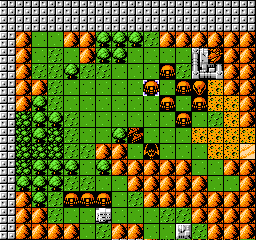
The game uses a top-down, menu-driven interface built around two phases: fleet placement and combat. During setup, players position ships across a hidden grid so they cannot be easily predicted. In battle, each side takes turns selecting coordinates to fire upon, with hits marked and sunk ships removed from play. Single-player matches rely on careful elimination and search patterns, while two-player games focus on bluffing, spacing, and reading an opponent's habits.
Battleship
Nintendo Entertainment System
Login to use cloud saves
Login
Controls
These are the emulator defaults. You can remap them from the emulator menu.
PC Keyboard
Game Button
↑
UP
↓
DOWN
←
LEFT
→
RIGHT
Z
A
X
B
A
Y
S
X
Q
L
W
R
Enter
START
Shift
SELECT
Game-specific controls
No verified game-specific inputs or combos are available for this version yet.
Gameplay
Characters
No character information available
Strategy
Spread ships out and avoid obvious clustering, especially near corners or the center. Use a systematic search pattern instead of random firing so you can cover the map efficiently. After scoring a hit, keep shooting along the same line until you determine the ship's orientation and finish it off quickly. Against the CPU, patience and disciplined elimination usually work better than repeated guessing.
Cheats
No cheats or unlockables available
Tips
Tips and tricks
- Place ships irregularly to reduce the chance of a lucky chain of hits.
- Use a checkerboard-style search pattern to locate larger ships faster.
- Once you hit a ship, keep pressure on adjacent squares to confirm its direction.
Comments
Loading...
How do you play Battleship online?
Start Battleship directly on this page with ClassicEmu. The emulator runs in your browser, so you can play online without installing a desktop emulator first.
Related Games
More games from nearby platforms and categories.