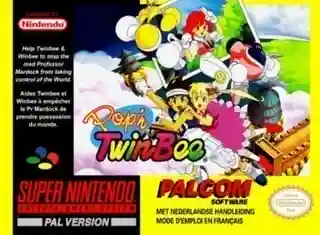
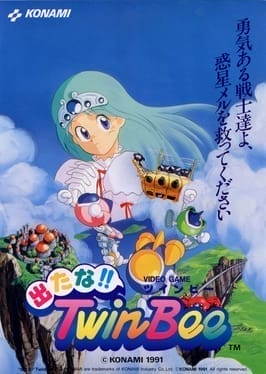
Players control TwinBee or WinBee through vertically scrolling stages, shooting enemies while dodging bullets and obstacles. Bells appear when shots hit clouds; their color changes with repeated hits and determines bonuses such as score, speed, shields, and weapon upgrades. Progress is stage-based, with each area ending after reaching set objectives or defeating a boss. Some releases also support cooperative play.
TwinBee
Nintendo Entertainment System
Login to use cloud saves
Login
Controls
These are the emulator defaults. You can remap them from the emulator menu.
PC Keyboard
Game Button
↑
UP
↓
DOWN
←
LEFT
→
RIGHT
Z
A
X
B
A
Y
S
X
Q
L
W
R
Enter
START
Shift
SELECT
Game-specific controls
No verified game-specific inputs or combos are available for this version yet.
Gameplay
Characters
TwinBee
The main player craft in the series.
WinBee
A companion craft often associated with the series and later co-op play.
Strategy
Try to manage bells carefully so you can turn them into the color you need before collecting them. Focus fire on turrets and mid-sized enemies first, since they create the most danger in crowded sections. Stay near the lower-middle part of the screen to leave room for dodging, and avoid chasing items too far into enemy patterns.
Cheats
No cheats or unlockables available
Tips
Tips and tricks
- Learn the bell color cycle so you can time upgrades more reliably.
- Take out bullet-firing enemies before collecting bonuses in busy areas.
- Memorize boss patterns; the game becomes much safer once enemy routes are known.
Comments
Loading...
How do you play TwinBee online?
Start TwinBee directly on this page with ClassicEmu. The emulator runs in your browser, so you can play online without installing a desktop emulator first.
Related Games
More games from nearby platforms and categories.