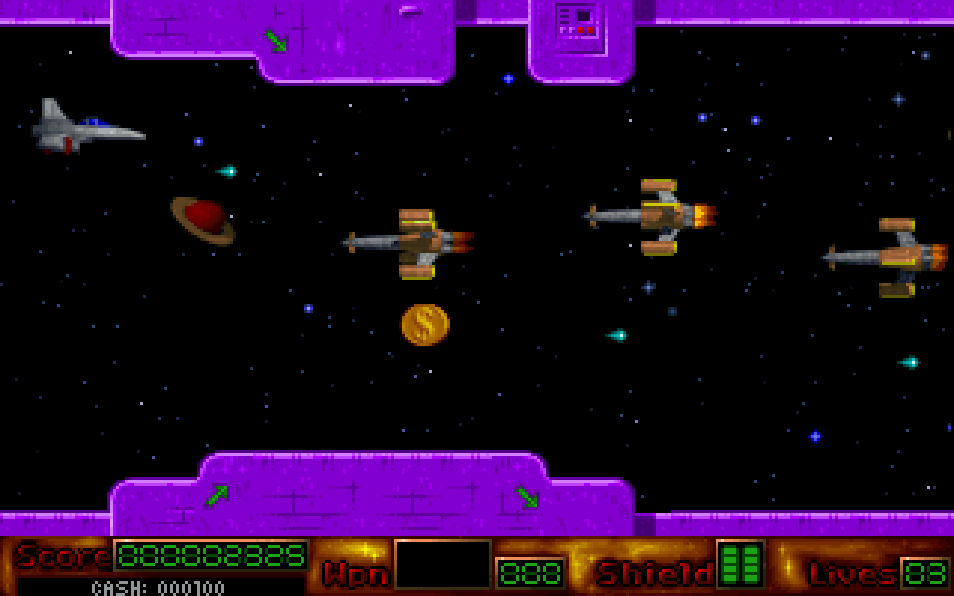
This title presents a bundle of small standalone games rather than one long campaign. Each minigame typically uses simple keyboard or mouse controls and focuses on quick objectives, reflexes, or pattern-based challenges. The compilation structure encourages jumping between different modes, with each game resetting progress independently. Because it is a DOS-era collection, the emphasis is on short rounds, immediate feedback, and replaying for better scores or outcomes.
GEEK Game Collection
DOSControls
These are the emulator defaults. You can remap them from the emulator menu.
PC Keyboard
Game Button
↑
Move up
↓
Move down
←
Move left
→
Move right
Space
Primary action
Enter
Confirm / start
Esc
Back / menu
Game-specific controls
No verified game-specific inputs or combos are available for this version yet.
Gameplay
Characters
No character information available
Strategy
Treat each minigame as its own puzzle and learn the win condition before chasing speed. In reflex-based segments, watch for repeating animation cues and input timing rather than mashing keys. If a minigame includes score goals, prioritize consistency over risky shortcuts. Because compilation menus often hide separate rules for each entry, check instructions carefully before starting a new mode.
Cheats
No cheats or unlockables available
Tips
Tips and tricks
- Read the instructions for every minigame before starting.
- Keep control inputs simple; many compilation games reward timing more than speed.
- Replay individual games to learn patterns and improve scores.
Comments
Loading...
How do you play GEEK Game Collection online?
Start GEEK Game Collection directly on this page with ClassicEmu. The emulator runs in your browser, so you can play online without installing a desktop emulator first.
Related Games
More games from nearby platforms and categories.