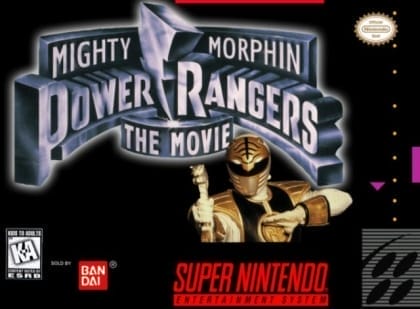
The game uses a 2D one-on-one fighting format. Players can attack, jump, defend, and perform character-specific special moves, while some battles shift to massive Zord clashes with slower but heavier-feeling strikes. Matches progress through a single-player ladder with increasing difficulty, requiring spacing, timing, and knowledge of each fighter’s tools. Winning rounds advances the player through the set of opponents.
Mighty Morphin Power Rangers: The Fighting Edition
Super Nintendo Entertainment System
Login to use cloud saves
Login
Controls
These are the emulator defaults. You can remap them from the emulator menu.
PC Keyboard
Game Button
↑
UP
↓
DOWN
←
LEFT
→
RIGHT
Z
A
X
B
A
Y
S
X
Q
L
W
R
Enter
START
Shift
SELECT
Game-specific controls
No verified game-specific inputs or combos are available for this version yet.
Gameplay
Characters
Jason Lee Scott (Red Ranger)
A balanced all-round fighter, good for learning the basics.
Kimberly Hart (Pink Ranger)
Fast and mobile, suited to hit-and-run pressure.
Billy Cranston (Blue Ranger)
Reliable at controlling space with solid, versatile attacks.
Zord combat forms
Special giant-unit battle forms that focus on heavy hits and pressure.
Strategy
Learn each fighter’s special inputs and effective range before trying to pressure aggressively. In Zord battles, avoid risky close-range exchanges and look for openings after enemy whiffs or jumps. If a character has a rushing move, use it to punish retreats and recovery frames. In single-player mode, preserving health for later opponents matters more than forcing long combos.
Cheats
No cheats or unlockables available
Tips
Tips and tricks
- Use jump attacks to start consistent ground pressure.
- When trapped, block first and retaliate after the opponent’s recovery.
- Keep Zord fights at mid-range to reduce risky trades.
Comments
Loading...
How do you play Mighty Morphin Power Rangers: The Fighting Edition online?
Start Mighty Morphin Power Rangers: The Fighting Edition directly on this page with ClassicEmu. The emulator runs in your browser, so you can play online without installing a desktop emulator first.
Related Games
More games from nearby platforms and categories.